> For the complete documentation index, see [llms.txt](https://docs.clobe.ai/llms.txt). Markdown versions of documentation pages are available by appending `.md` to page URLs; this page is available as [Markdown](https://docs.clobe.ai/team-management/company-management-guide.md).
# 회사 정보 및 초대 관리 가이드
## 1. 프로필·이메일 변경
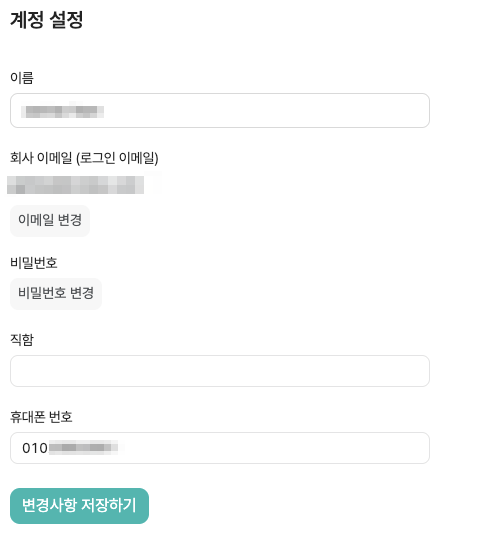
* 프로필(이름, 연락처) 변경: 좌상단 회사명 > `계정 설정`에서 수정해 주세요. [**바로가기**](https://app.clobe.ai/settings/me)
* 이메일 변경: 보안 상 이메일 변경은 인증 절차가 필요할 수 있습니다. 변경 요청 시 안내에 따라 본인확인을 완료해 주세요.
## 2. 회사 정보 변경
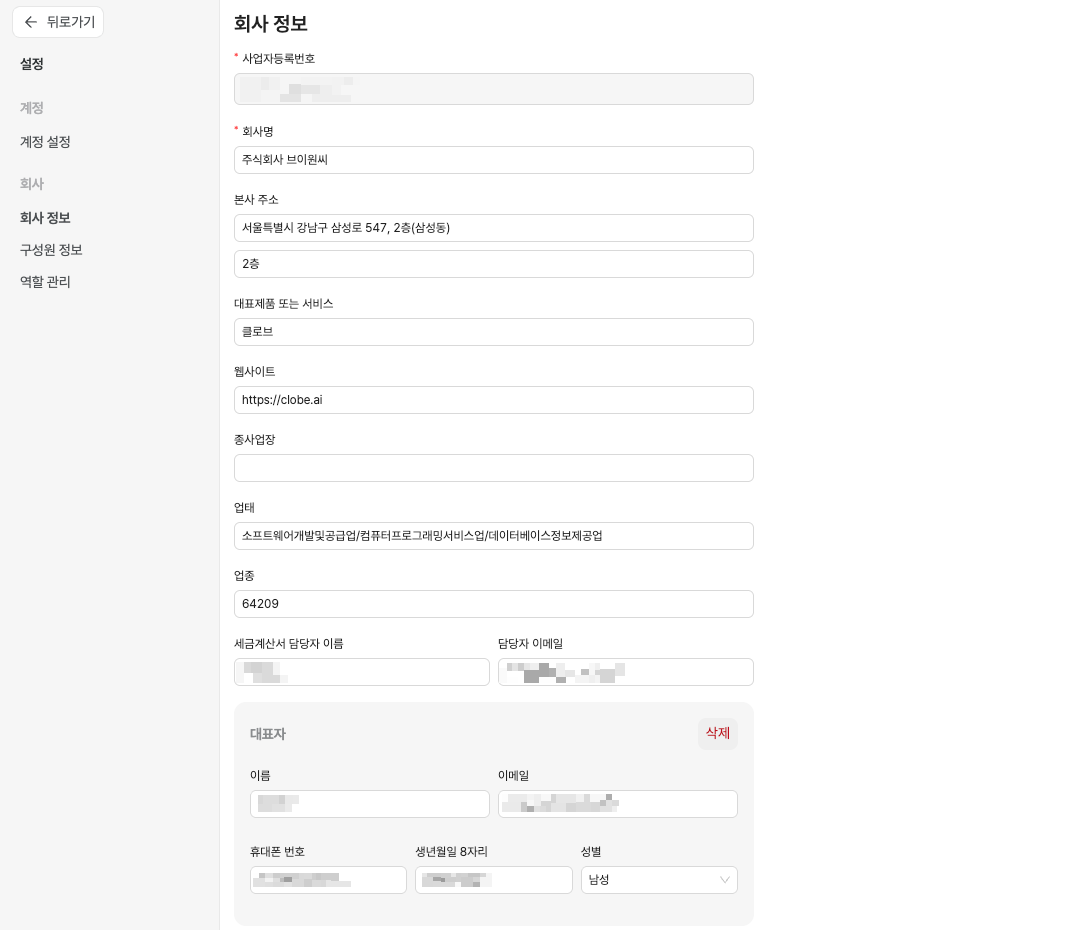
* 좌상단 회사명 > `회사 정보`에서 수정해 주세요. [**바로가기**](https://app.clobe.ai/settings/company)
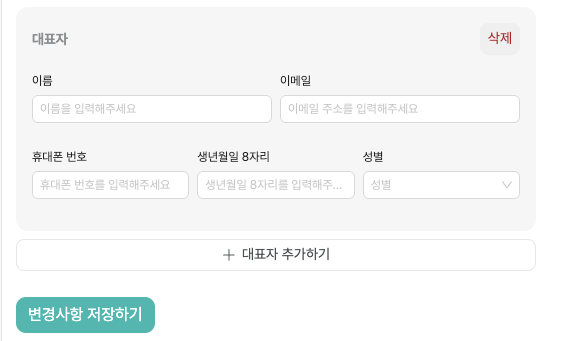
* 대표자 정보 변경: 페이지 하단에서 대표자 정보를 수정할 수 있습니다.
* 대표자 추가: 페이지 하단 `+ 대표자 추가하기` 버튼을 클릭하면 대표자를 추가할 수 있습니다.
## 3. 구성원 초대
클로브AI에서 사용자 정보(이메일 등) 변경, 구성원 초대/권한 설정, 구성원 제거 방법을 안내합니다.
1. `초대 관리`로 이동해 주세요
2. ‘멤버 초대’를 클릭한 후 이메일을 입력하고 역할을 선택해 주세요
3. 초대 이메일을 수락하시면 가입이 완료됩니다
4. 혹시, 팀원 초대 메일이 오지 않았다면,
* 스팸함을 확인해 주신 후, 재발송하시거나 다른 이메일로 재초대해 주세요
## 4. 역할/권한
* 역할별 접근 권한은 다음 가이드를 참고하세요
* [역할 관리 가이드](/team-management/roles.md)
* 주요 권한: 이체/보기/라벨링/정산/설정 접근 등
## 5. 멤버 제거/권한 변경
* `좌측 상단 회사명 클릭 > 초대 관리`에서 멤버를 선택하신 후 권한을 변경하거나 제거해 주세요
* 회사 소유자 변경 등 특수 작업은 지원팀 확인이 필요할 수 있습니다
## 6. 여러 법인(회사) 관리
* 여러 회사/워크스페이스를 관리하는 경우:
* [여러 법인을 관리하고 계신가요?](https://docs.clobe.ai/getting-started/multi-corporation-guide) 가이드를 참고해 워크스페이스 전환/권한을 설정해 주세요
## 7. 자주 묻는 질문(FAQ)
* 소유자 변경이 필요해요
* 소유자 계정에서 가능하며, 상황에 따라 지원팀 확인이 필요합니다
* 이메일을 바꾸고 싶어요
* 본인확인 후 변경이 가능합니다. 보안상 절차를 요청드릴 수 있습니다